Posts

Building a Hotspot for Phoenix (DMR Part 3)

Image
1. What is a Hotspot? Part 1 and Part 2 described how to get a DMR rig onto the Phoenix network using a local repeater. This assumes, of course, that you are in range of a suitable repeater! What if you are not? Or if you are visiting another location without coverage? The solution is to build your own mini-repeater, known as a Hotspot. This blog assumes you have a DMR ID, and a working DMR rig. If not, please return to  Part 1 . A Hotspot is a low-power multi-mode digital repeater. It has an internet connection (wireless or wired) that connects it to the various amateur radio networks. And it has a small UHF transceiver that makes it accessible as a repeater from a local DMR handheld.  Hotspots typically support more than one mode and network - so they can be used to connect to Phoenix, Brandmeister, FreeDMR, TGIF, DSTAR and more. There are several commercial Hotspots available, and a few variations of software. Hotspots can be simplex or duplex, supporting one or two times...
Building a basic codeplug for DMR (DMR Part 2)

Image
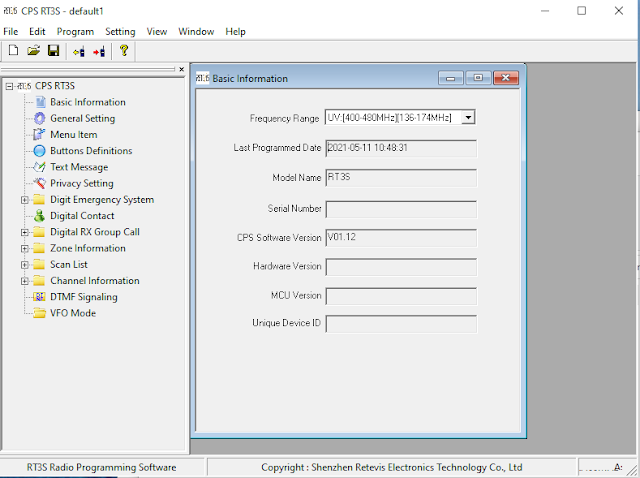
What is a "codeplug"?  Confusingly, a codeplug is neither code, nor a plug! The term originates from a time when a physical plug was used to configure a radio's parameters. Nowadays it refers to a configuration file, which is typically prepared on an external PC and then uploaded to the radio. Overview This blog post continues from  Part 1 , and it assumes that you already have: A callsign A DMR ID A DMR rig - I will be using a Retevis RT3S for this example The programming software and cable for your rig. For the RT3S, the Windows software can be found here:  RT3S Software The example described below assumes that you are within reach of a DMR repeater on the Phoenix network, and that you know the details of that repeater (transmit and receive frequencies, color code). For now will configure the rig to access the DMR+ (Phoenix) network via a repeater. Subsequent posts will explain how to add analogue repeaters and simplex channels, hotspots, other networks, etc. The steps ...

Getting Started on DMR (DMR Part 1)

To get started on DMR, you will need: 1. An amateur radio licence I'm assuming you already have this, but if not then you need to go here first:  Getting started - Radio Society of Great Britain - Main Site : Radio Society of Great Britain – Main Site (rsgb.org) 2. A DMR transceiver There are many of these available, and there are plenty of reviews on YouTube:  (7) dmr radio comparison - YouTube Chinese rigs are a good place to start, as they are less expensive than Japanese or American. I went with the Retevis RT3S (non-GPS version):  RETEVIS RT3S Dual Band DMR Radio GPS UHF&VHF Dual display Dual standby FPP Options for buying include: Amazon - https://amazon.co.uk/dp/B07DMDJN2N/ref=cm_sw_em_r_mt_dp_5DWR8BPC1QK7FSNSFK1R eBay -  rt3s | eBay Aliexpress direct from China -  rt3s - Buy rt3s with free shipping on AliExpress Note that Aliexpress now charges VAT at source, so there should be no additional duty to pay. Make sure that your purchase includes a progra...